
Managing Downtimes and System Failures as a Product Manager

On a Friday evening a couple of years ago, my phone rang unexpectedly.
At the time, I was working on a B2B product and one of our customers (the business owner himself) called, clearly upset.
Our product had started experiencing issues, transactions were failing, and it was already disrupting their daily operations. His team couldn’t complete important tasks, customers were beginning to complain, and he needed answers (as well as a resolution) fast.
If you've worked on B2B products, you know exactly how quickly a moment like that can escalate. When something breaks on a consumer app, users get frustrated, maybe leave a bad review and churn quietly. When something breaks on a B2B product, it doesn’t just inconvenience a user but ultimately disrupts an entire business. The calls come fast. The expectations are higher and the stakes feel very, very real.
Truthfully, I panicked.
Not because I thought the engineering team couldn’t fix it, but because I suddenly realised how unprepared I felt at that moment. There were too many unanswered questions running through my head all at once:
What exactly broke? Who else was affected?
Who needed updates first? How bad was this?
The fact is no matter how stable your product feels, at some point something will fail.
It’s not a matter of if. It’s usually a matter of when.
So in today’s edition of The Product Notebook, we’ll take a look at :
Why Systems Fail and what causes Downtimes.
The Role of a Product Manager Before, During, and After an incident &
Common mistakes product managers should avoid during outages
Let’s get into it.
Why Systems Fail and What Causes Downtimes

Over time, I’ve realised that system failures don’t always happen the same way.
Some incidents gradually build up before things finally break, while others hit suddenly with little warning at all.
A lot of it comes down to the complexity of the system, the product itself, and the type of issue involved.
A System downtime/failure can look like any of the following:
Transactions failing
Extremely slow response times
Users being unable to log in
APIs timing out
Payments getting stuck
Certain features breaking while others still work
Delayed notifications or updates
Third-party integrations failing
Intermittent issues affecting only some users etc.
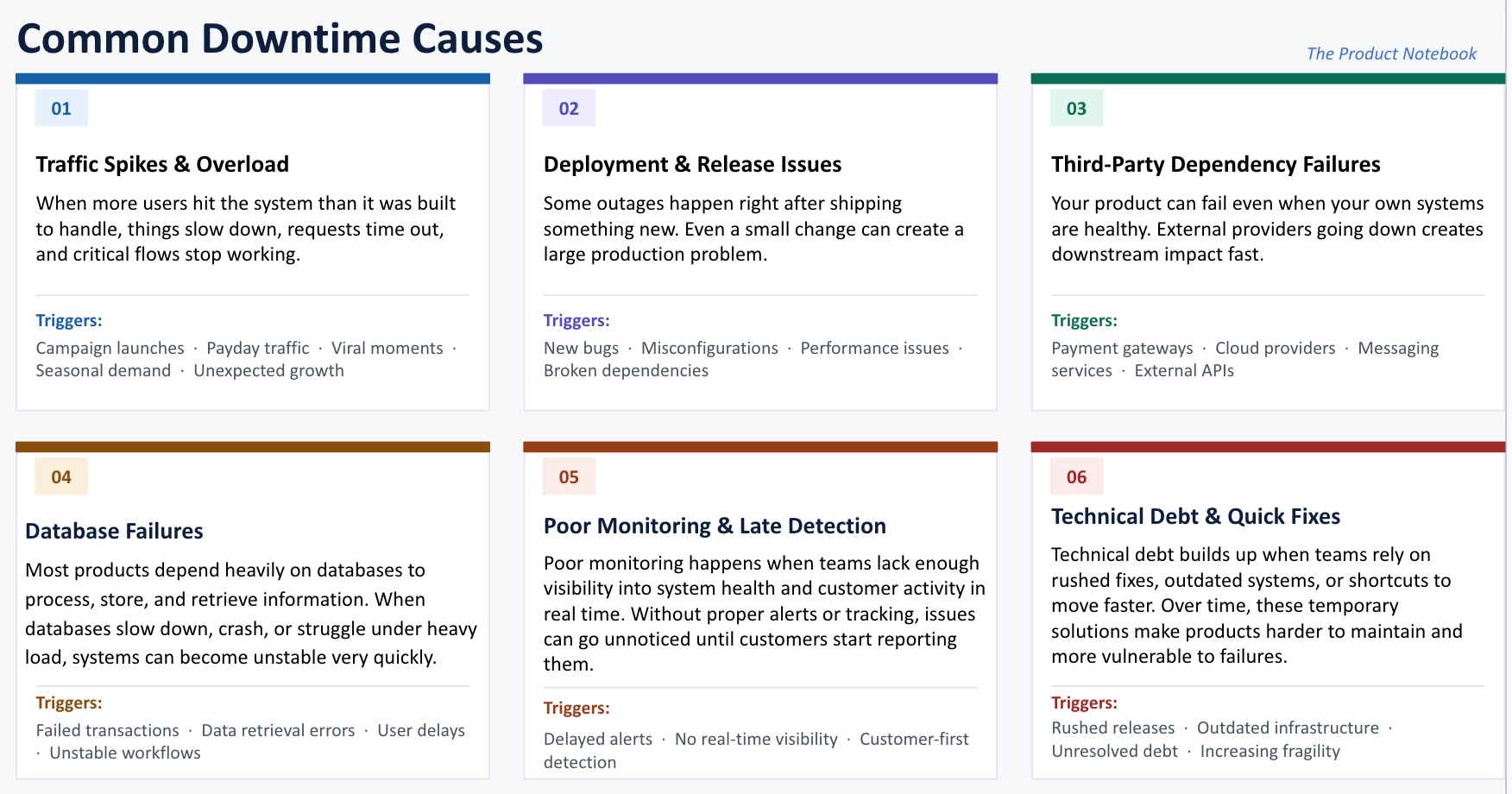
Some of the most common causes include the following :
The Role of a PM Before, During, and After a Downtime
One thing I’ve learned is that incidents are never just technical problems. Behind every outage are frustrated users, stressed support teams, nervous stakeholders, and business decisions that need to be made quickly.
That’s why a PM’s role during incidents matters so much.
So let’s take a look.
Before the Incident :
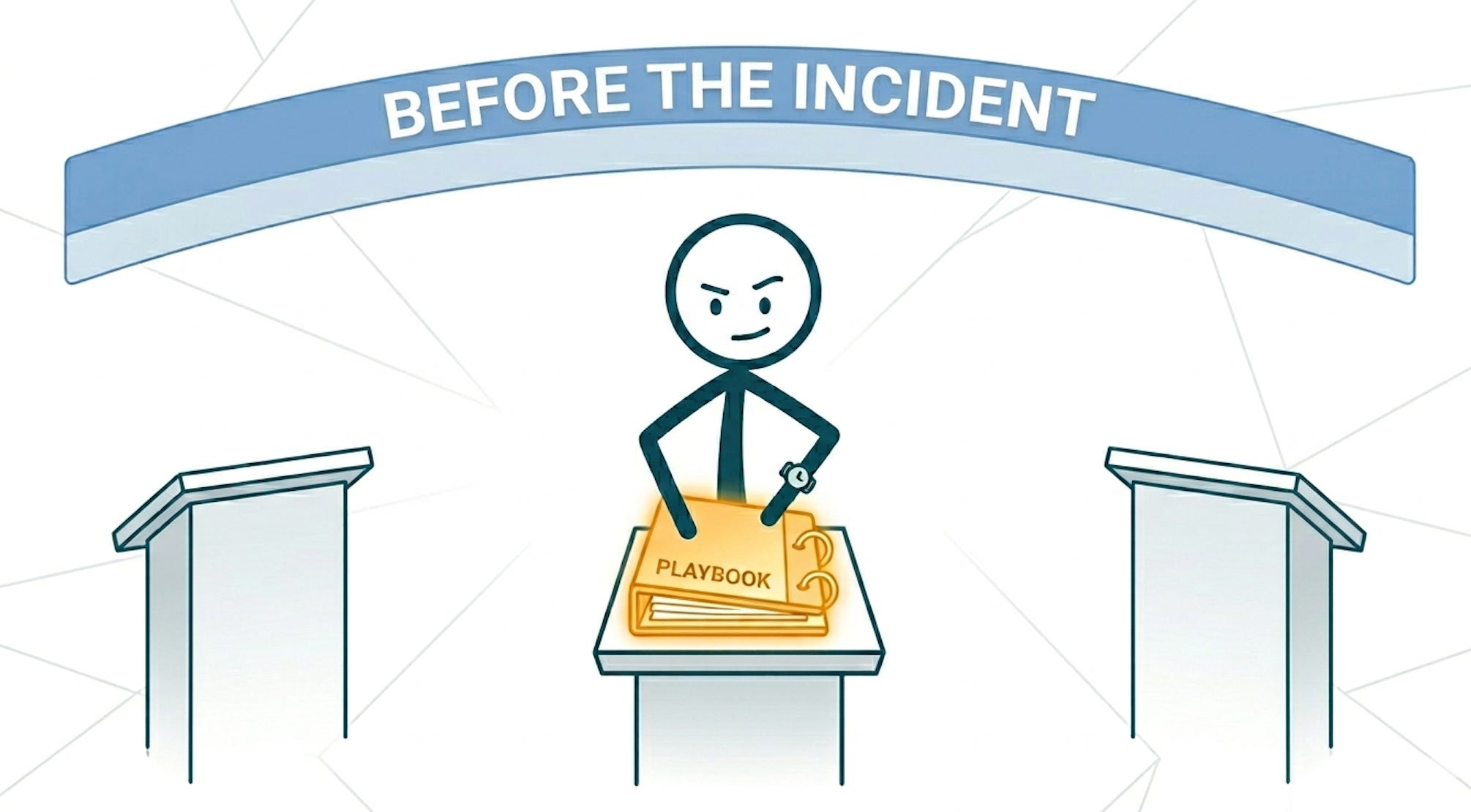
The most common mistake PMs make around reliability is treating it as someone else’s problem right up until it isn’t. By the time an incident hits, preparation is over. You’re playing with whatever foundation you built (or didn’t.)
There are four things to do before anything breaks.
1. Understand Your Critical User Flows: Every product has certain workflows that are simply too important to fail. Depending on the product, that could be payments, logins, checkout, transfers, authentication, or loan disbursements.
As a PM, you should understand which parts of the experience are most business-critical and what the impact looks like if those flows stop working. Because during incidents, not everything carries the same urgency. Some failures are inconvenient. Others immediately affect revenue, operations, and customer trust.
2. Understand Dependencies at a High Level: You don’t need to become highly technical to manage incidents well, but you should have a reasonable understanding of how your product works at a high level.
That includes knowing what third-party providers your product depends on, which systems are interconnected, failure points and what the ripple effects might look like if one service fails. This context helps you ask better questions, understand risks faster, and make better decisions during incidents.
3. Map your escalation path before you need it: A lot of the chaos during outages comes from unclear ownership. When systems go down, teams should not be trying to figure out responsibilities in real time. There should already be alignment on who owns the incident, who is leading technical recovery, who communicates with customers, and who keeps leadership updated.
The PM’s role is to to help coordinate communication, reduce confusion, and keep everyone aligned throughout the incident.
4. Push for alerting that actually means something: If proper alerting systems don’t exist yet, that’s already a problem. Teams should not be finding out about incidents from customers first. But at the same time, too many alerts can become just as dangerous. When alerts fire constantly for every small issue, people gradually stop paying attention to them altogether.
Good alerting should create clarity, not noise. The goal is to have alerts that are timely, actionable, and tied to issues that genuinely matter to the product and customer experience.
During the Incident :
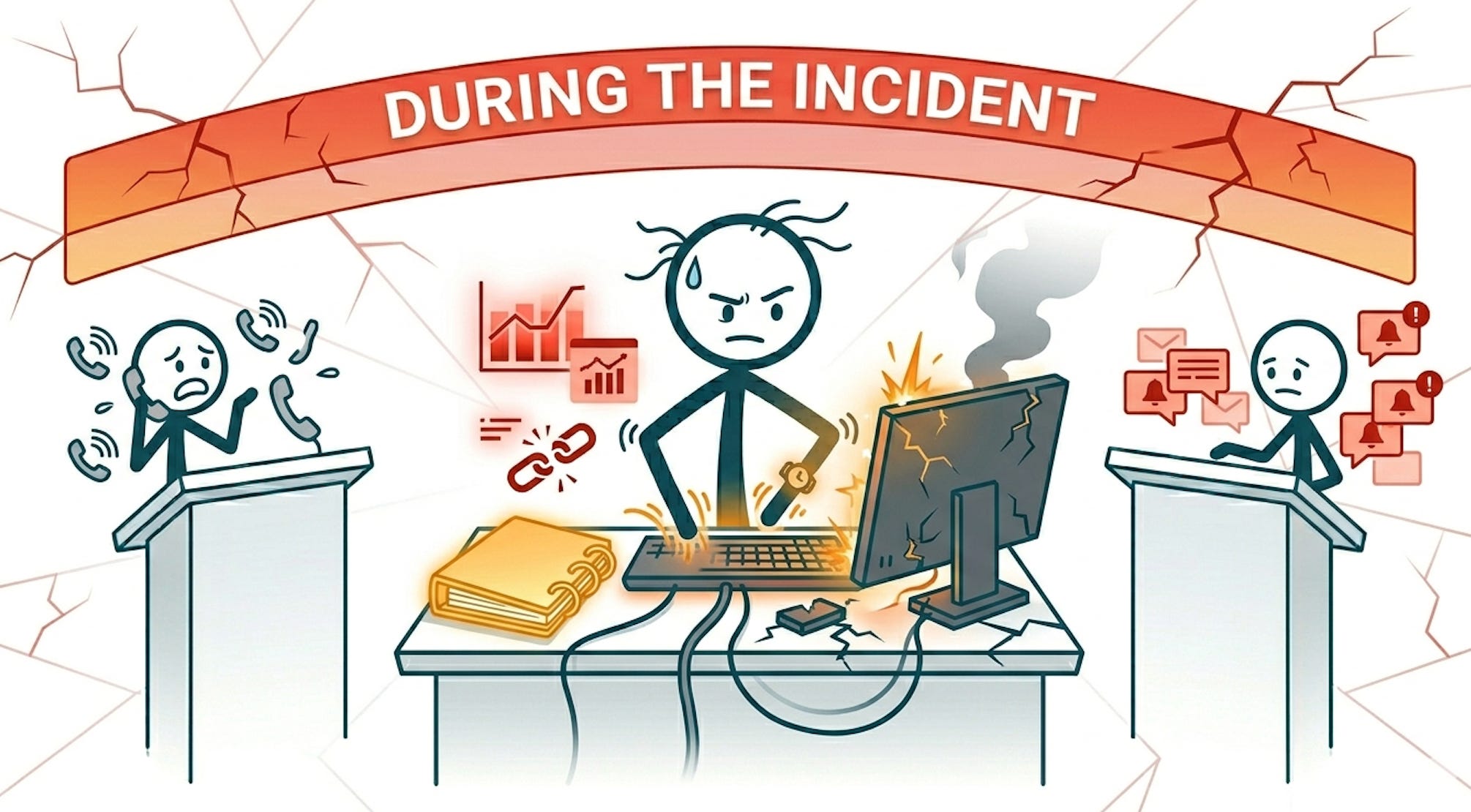
As the PM, when something is actively broken, your role is to make sure the people diagnosing it can work without interruption, that the right people have the right information, and that nobody makes a rushed product call without the full picture.
That said, context matters here. In a larger org with a dedicated incident response structure, there’s usually an incident commander running the show and clear lanes for everyone else.
But if you’re in a startup, that structure might not exist yet. It might just be you and two engineers at 11pm trying to figure out what’s on fire. In that case, you’re not stepping back but stepping up. The principle stays the same though: your job is maintaining coordination and clarity to aid a resolution.
Here are six things to do during an active downtime;
1. Get everyone needed in the same place and establish a clear owner.
The first thing to do when an incident hits is make sure the right people are in the room (or the channel). Don’t let the response happen across three different Slack threads and a WhatsApp message. Consolidate.
Pull everyone into one channel or call.
Establish who is leading the technical response.
If you’re in a startup and there’s no incident commander, that conversation still needs to happen.
Make sure everyone knows their role
In a mature team, this happens almost automatically. In a smaller team, the PM often has to be the one who creates that structure in the moment.
2. Follow the escalation path and if there isn’t one, create it on the fly
If you did the pre-incident work, you already have an escalation path documented. Now is the time to follow it and improvise if necessary.
If you’re in a startup and that path doesn’t exist yet, you’re building it in real time:
Who needs to know this is happening right now?
Is this serious enough to loop in a founder or CTO?
Are any customers directly affected who need to be contacted?
Does anyone external (a vendor, a third-party provider) need to be reached?
Also, when escalating issues internally, vague updates are unhelpful. Saying “The system is down” or “its not working” is not enough information to investigate properly.
Share useful context upfront such as screenshots, timestamps, affected flows, error messages/codes, or what customers are specifically experiencing. The clearer the information engineering gets early, the faster they can usually narrow down the issue.
3. Stay informed without becoming a distraction
There’s a version of “staying close to the incident” that helps, and a version that actively makes things worse. The difference is usually frequency and tone.
Asking for an update every five minutes while someone is mid-investigation is pressure, even if it’s not intended that way. What works better:
Agree on an update cadence at the start eg checking in every 20 minutes or stay with them and watch them work.
Ask focused questions: “Do you have what you need? Is anything blocked?” rather than “How long is this going to take?”
If someone needs a resource, a credential, or a decision made handle it immediately so they can keep moving.
If it’s a long incident, check in on the team. People debugging under pressure for hours need someone making sure they’re okay, not just someone asking when it’ll be fixed.
The goal is to be the person who removes obstacles, not adds to them.
4. Own all communication (Internal and External)
While engineering works the problem, you’re managing everything that faces outward.
For internal stakeholders; leadership, customer success, sales if enterprise accounts are affected:
Keep updates factual and steady.
Cover what’s affected, the rough scale of impact, current status, and estimated resolution window if there is one.
Don’t speculate, don’t over-soften, and don’t go quiet.
Even a brief “still investigating, next update in 30 minutes” does more than silence because going dark signals that nobody is in control and causes panic/distrust.
For external users; status page, in-app messages, support responses:
Get acknowledgement out fast. People handle outages much better when they’re told about them than when they have to figure it out themselves.
Use clear language. “We’re experiencing an issue affecting checkout for some users and our team is actively working on it” lands better than technical detail most users don’t need.
Don’t promise timelines you can’t back up.
Match the tone to the severity. A minor feature hiccup doesn’t carry the same weight as a core flow going down.
5. Weigh in on prioritisation calls when they come up
Mid-incident, engineering will sometimes hit decision points that have product consequences. For Example :
Roll back a recent deployment and lose progress, or push a hotfix through?
Take the system briefly offline for a cleaner fix, or keep it running while they patch?
These are technical decisions, but they affect user impact, data integrity, and what you’ll need to say publicly afterward. You don’t need to make the call alone but you need to be close enough to give useful input without slowing things down.
6. Stay Calm
When outages happen, emotions can escalate very quickly. There’s pressure from multiple ends depending on the scale of the issue.
In moments like that, PMs play an important role in stabilising the situation. Staying calm helps you think more clearly, communicate better, and support the team more effectively while things are still uncertain.
After the Incident :
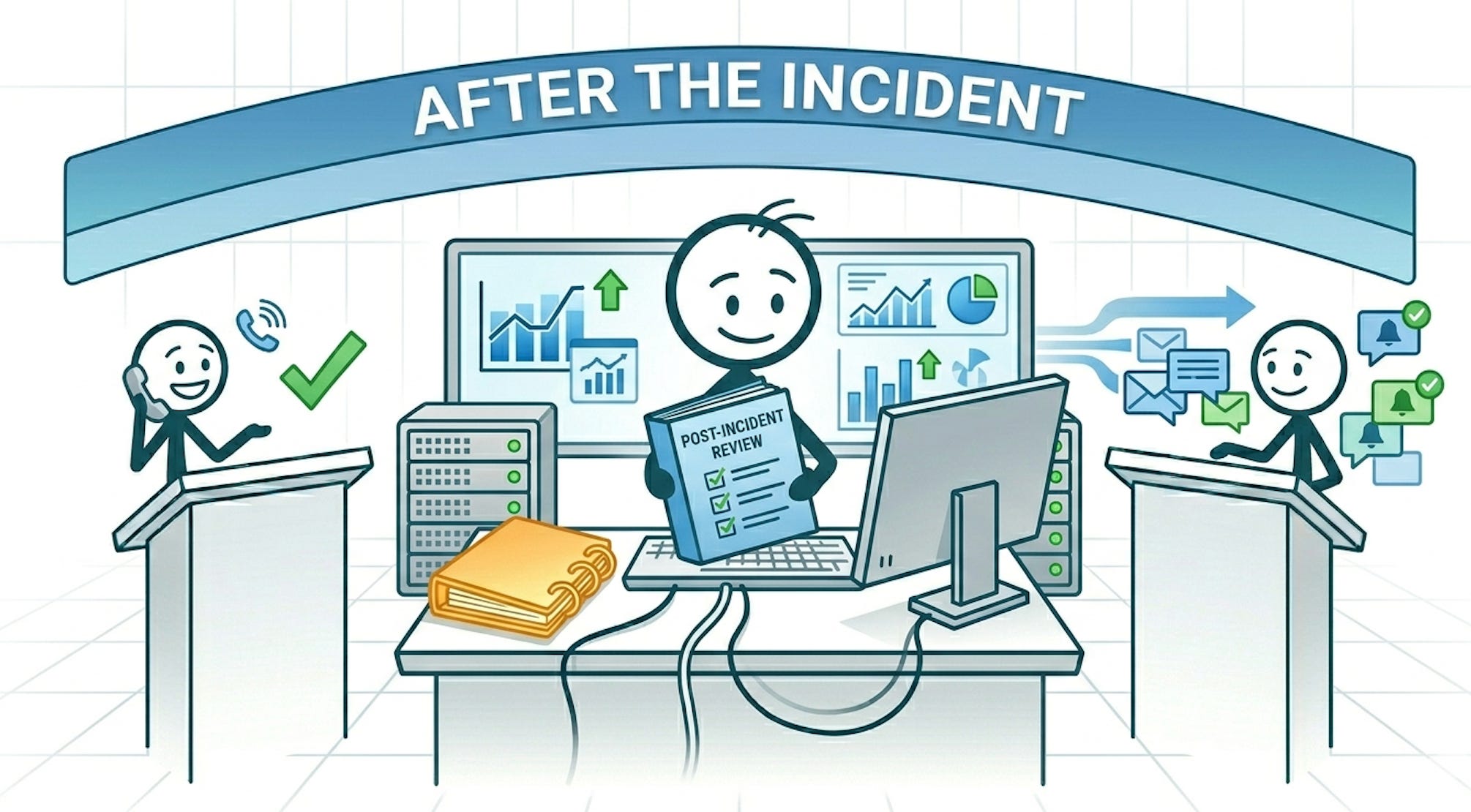
A lot of teams treat recovery like the finish line.
The outage may be over, but the work around understanding it, and improving because of it, is usually just getting started.
There are three things to do after the incident;
1. Show up to the postmortem with the right questions
A good postmortem isn’t about blame. It’s a clear-eyed look at what broke, why the system allowed it to happen, and what would prevent it, or shrink the damage, next time.
You probably won’t run it; that typically sits with engineering. But you should be in it, and you should be reading every finding with one question in mind: what does this mean for what we build?
Some examples of what that looks like in practice:
Engineering flags that a third-party dependency has no fallback configured → that’s a roadmap conversation.
A database migration ran during peak hours because no one defined a release window → that’s a process gap that product needs to own.
Alerting fired 20 minutes after users started reporting issues → that’s a monitoring problem worth prioritising.
Don’t let postmortem findings live and die in an engineering doc. Pull out the action items that belong to the product team and follow through on them.
2. Close the loop with your users properly to rebuild trust
Even after systems recover, customers may still feel frustrated or uncertain, especially if the outage affected money movement, operations, or critical workflows and sometimes internal teams feel the same way too.
This is why communication after incidents matters just as much as communication during them. Acknowledging the issue clearly, sharing improvements being made, and rebuilding confidence goes a long way in restoring trust.
3. Use the incident as evidence for conversations you’ve been putting off
This one has the longest payoff.
Reliability work is notoriously hard to prioritise in normal times because the value of it is invisible when nothing is breaking. An incident changes that. The cost of underinvestment is suddenly concrete; real users affected, real revenue at risk, real reputational damage.
If you’ve been trying to get technical debt on the roadmap, or make a case for dedicated reliability work, the window right after an incident is when that argument lands hardest. Use postmortem findings as your evidence and specific about what the gap cost and what closing it would take.
Common Mistakes PMs should avoid when managing Downtimes
Sidelining the Support Team: A mistake PMs make during incidents is forgetting how much pressure support teams are under while the outage is happening. While engineering is focused on fixing the issue, support teams are usually dealing directly with frustrated customers in real time. Keeping them informed with simple updates and clear messaging helps them manage conversations better and prevents customers from feeling completely left in the dark.
Pressuring Engineering Unnecessarily : It’s natural to want constant updates during an incident, especially when stakeholders are asking questions. But repeatedly interrupting engineers while they’re actively investigating can slow things down more than it helps. Focus on removing blockers, coordinating communication, and creating structure instead of adding more pressure to the people trying to resolve the issue.
Promising Timelines Too Early: An easy mistake during outages is giving resolution timelines before the team fully understands the problem. Customers and leadership want answers, but inaccurate ETAs usually create even more frustration later. It’s better to communicate clearly about what’s being investigated and when the next update will come than to confidently promise timelines that may change.
Treating Every Incident Like a Full-Blown Emergency: Not every issue needs the same level of escalation. Some incidents are critical, while others are annoying but manageable. Stay calm long enough to understand what is actually broken, who is affected, and what needs immediate attention first instead of escalating panic before understanding the impact properly.
Going Silent during Incidents: One of the fastest ways to increase panic during downtime is poor or no communication. When there are no updates, people start making assumptions very quickly. PMs sometimes wait too long to communicate because they want perfect information first, but during incidents, timely and transparent updates are usually far more valuable than complete certainty.
Document Decisions While Things Are Happening: During outages, teams make a lot of fast decisions; temporary fixes, rollbacks, escalations, workarounds, and prioritisation calls. Once the pressure is over, it becomes surprisingly difficult to remember important context. Documenting decisions during the incident makes postmortems much more useful and helps teams handle future incidents more effectively.

I still think about that Friday evening sometimes.
Not because it was the worst incident I’ve ever experienced, but because it was one of the first times I truly understood how different product management feels when things are actively going wrong.
In those moments, nobody really cares about the roadmap or the next feature release. What matters is how quickly the team can respond, how clearly people communicate, and whether customers still feel confident that the situation is being handled.
And honestly, that’s why downtime and incident management should never be treated as an afterthought while building products. Because eventually, your own unexpected call will come too.
The goal is not to predict every possible failure ahead of time. That’s impossible.
What matters is having enough structure in place; clear roles, good communication, calm decision-making, and the ability to coordinate all the moving parts without creating even more chaos so the team can focus on resolving the issue as quickly and effectively as possible.
Until Next Week,

Another Saturday to enjoy your article!!!
How do you organize your alert systems so the teams will not be ignoring some alerts when it gets too much?